MyPipCam
Screen recording with a live camera picture-in-picture — plus Google Drive sync, share links that track views, and a local library shared between Chrome and Mac. Free, open source, and built by EarnYour Marketing.
See MyPipCam in 40 seconds
Tab + camera PiP, a local library, optional Drive sync, and share links that track views — free and open source.
Having trouble playing? Open the promo MP4 or Add MyPipCam from the Chrome Web Store.
Real product screenshots
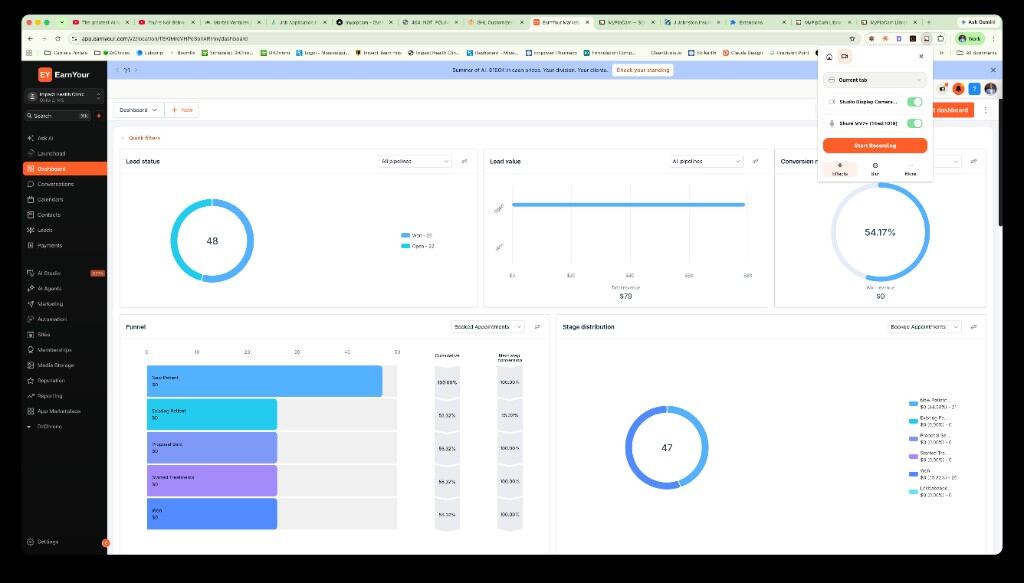
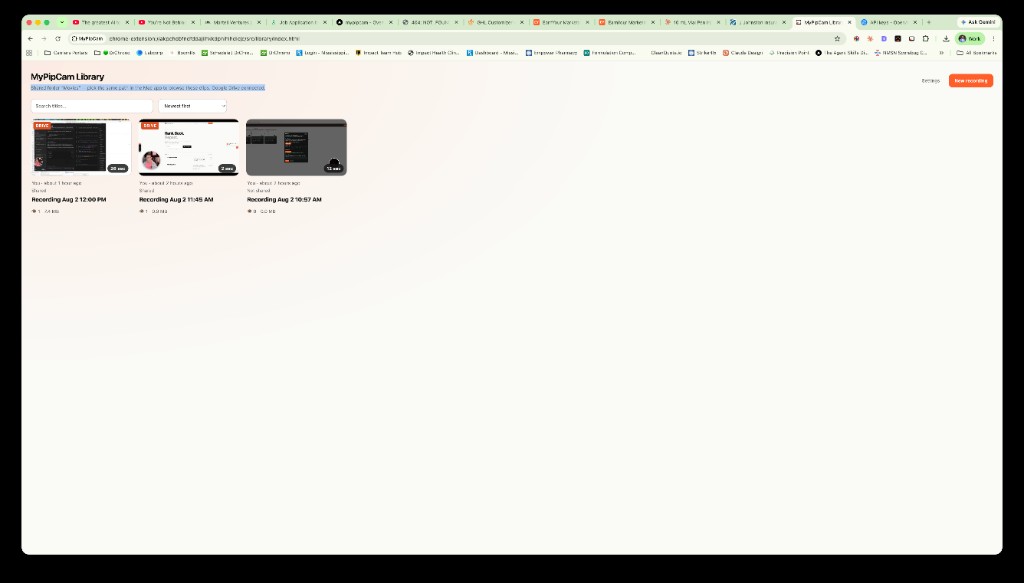
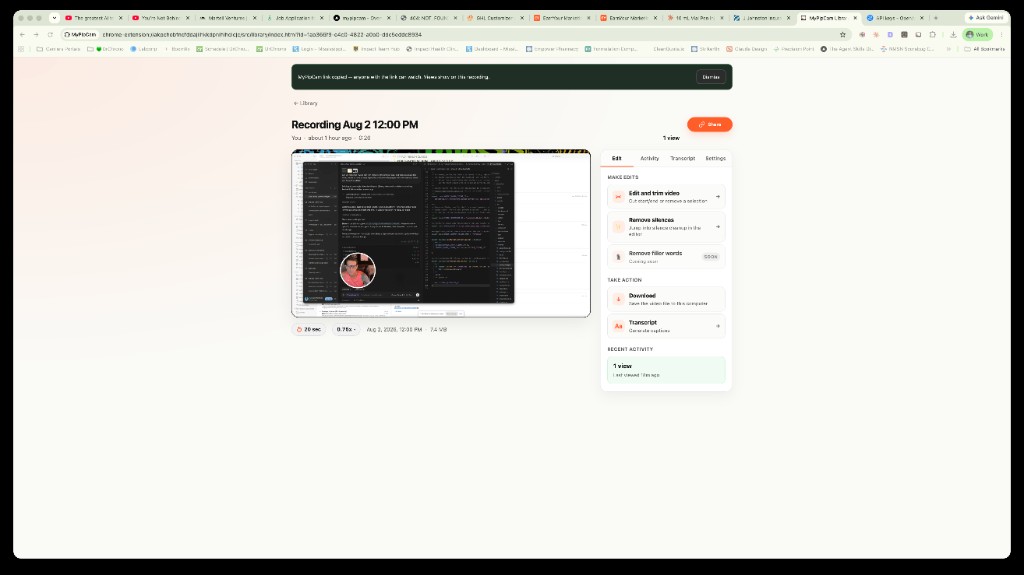
The Chrome popup, Library, Drive settings, and share detail page — the same UI you get after install.
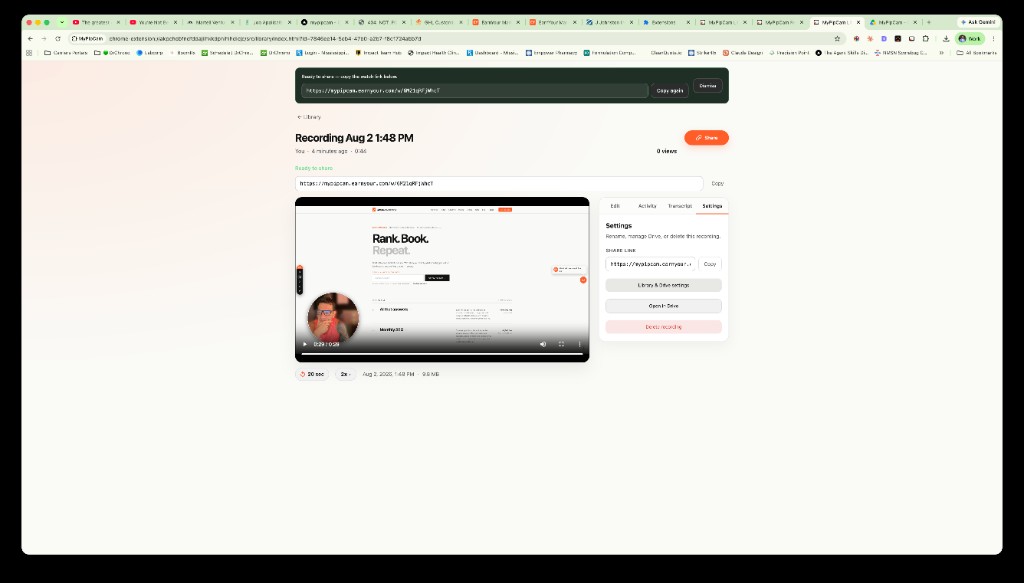
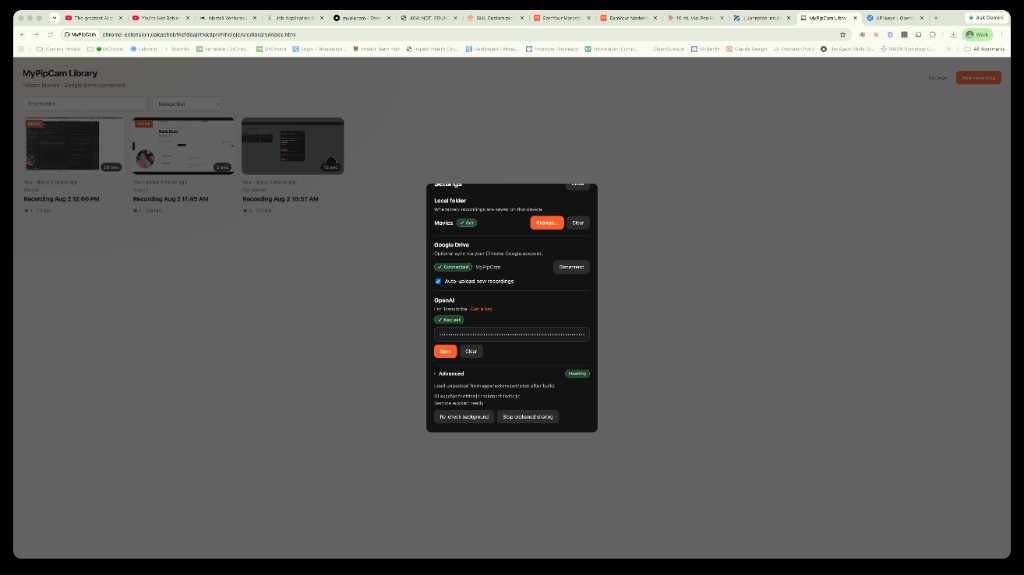
Record, library, edit — Loom-style without lock-in
Capture a Chrome tab with a draggable camera overlay, trim in the browser, and keep a floating Mac camera bubble for desktop-wide PiP with OBS or any screen recorder.
-
Chrome extension
Tab + camera PiP recording, countdown dock, mid-take rewind & trim, local library edit, and Whisper transcription when you add an OpenAI key.
-
macOS PiP bubble
Always-on-top camera window for Continuity Camera, webcams, or virtual cameras — and a native library that reads the same folder as Chrome.
-
Open source & free
MIT-licensed. Install from the Chrome Web Store; source and the macOS app live on GitHub — core recording works without a paid account.
Google Drive, shared folders & view tracking
Connect Google once in Library Settings. Your clips can live in Drive, stay on a local folder both apps use, and ship as share links that report views back to you.
-
Connect Google Drive
In the Chrome Library → Settings → Connect Google. MyPipCam creates a
MyPipCamfolder in your Drive (drive.filescope only). The same Google account on other computers can list and play uploaded clips. -
Shared local library folder
Pick the same folder (for example
~/Movies/MyPipCam) in Chrome and in the Mac app. Both sides read and write the same on-disk library so recordings stay in sync offline. -
Share links that track views
Share from the Library to copy a
mypipcam.earnyour.com/w/…watch link. Viewers open that page (Drive video embedded); you see view count and last viewed in the Library — Loom-style feedback without a SaaS vault. -
You stay in control
Drive and OpenAI only run after you connect them. Disconnect anytime. See the Privacy Policy for what stays on-device vs. optional cloud.
Add MyPipCam to Chrome
The Chrome extension is published on the Chrome Web Store. Pin it, open any http(s) page, and start recording. Source code and the optional macOS PiP bubble are on GitHub.
-
Add to Chrome
Open the Chrome Web Store listing → Add to Chrome → pin MyPipCam.
-
Record
Open any http(s) page → click the MyPipCam icon → Tab + Cam or Tab only → start recording.
-
Optional: macOS & source
Want the floating Mac camera bubble or to build from source? Clone GitHub and follow the README (developers can also Load unpacked from
apps/extension/dist).
Support the project
Free & open source — tips, ratings, and stars keep MyPipCam alive. Optional, no paywall.
Frequently asked questions
What is MyPipCam?
A free, open-source toolkit for screen recording with a live camera picture-in-picture: Chrome extension for capture and editing, a macOS always-on-top camera companion, optional Google Drive sync, and share links with view tracking.
Is MyPipCam a Loom alternative?
It’s inspired by picture-in-picture screen-recording workflows — local-first and open source, with Drive + view-tracked share links when you want cloud. It is not affiliated with Loom; “Loom-style” is descriptive only.
How does Google Drive connection work?
Open Library → Settings → Connect Google and finish the Google sign-in. Uploads go to a MyPipCam folder in your Drive. Use the same Google account in Chrome on another computer to see those uploads. You can still keep a local folder for Mac + Chrome offline.
Do shared links show view counts?
Yes. Library → Share copies a
https://mypipcam.earnyour.com/w/… link. Each open
counts as a view; your Library shows how many times it was
viewed and when it was last opened. The file itself stays in
your Google Drive.
Where are my recordings stored?
On your device by default (browser storage or a folder you choose). Optional Drive upload and OpenAI transcription only run when you connect those services. See the Privacy Policy.
How do I install MyPipCam?
Install the Chrome extension from the Chrome Web Store (Add to Chrome). Source code and the optional macOS app are on GitHub. After install, connect Drive from Library → Settings if you want cloud sync and share views.
Who makes MyPipCam?
Created by EarnYour Marketing. Support: steven@earnyour.com, or open a GitHub issue. In the extension: Library → Settings → Report a bug (prefilled diagnostics; we actually read these).
Created by EarnYour Marketing · Privacy · Terms · Tip jar · Support: steven@earnyour.com